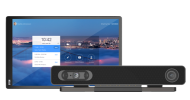
Zoom for Home - DTEN ME, ME Pro 27” Release 1.20.6 - October 9, 2025
Update Requirements
Available on the DTEN Orbit portal
DTEN ME / ME Pro should be powered on and connected to a stable or open Zoom whitelisted network without a firewall (Ethernet preferred). For more information, click here.
Once started, the update will take approximately 3 minutes; DTEN ME / ME Pro will automatically restart. Note that the device will only update if not in a meeting or calendar event.
Do not disconnect or power off during the update.
New
N/A
Resolved
Minor Bug fixes
Known Issue
When “Screen Saver” is enabled, even if Digital Signage is applied, the device will automatically turn off the screen after 30 minutes of inactivity.
When the Video Boundary feature is enabled, the screen may appear to jump when people are near the defined distance edge.
When InclusiView is enabled, color balance, image overlap, and misalignment issues with the camera stitching may occur.
The screen may occasionally flash green during a meeting. Please report this to the DTEN support team if it happens.
When multiple people are on the conference screen with InclusiView enabled, the top of the screen may occasionally flash a red stripe. Please report this to the DTEN support team if it happens.
The video output may occasionally be disabled, and the camera switch may be grayed out. Current workaround: restart the device.














Comments
0 comments
Article is closed for comments.